
Find a place
Search for a city or area, or paste latitude and longitude from a map. Check the coordinates before applying them.
Pick a city or enter exact coordinates. Geo Switch adds your selected location hint to Google Search requests and keeps it active until you turn the switch off.
Built for Chrome and Firefox · No account · Your saved places stay in this browser
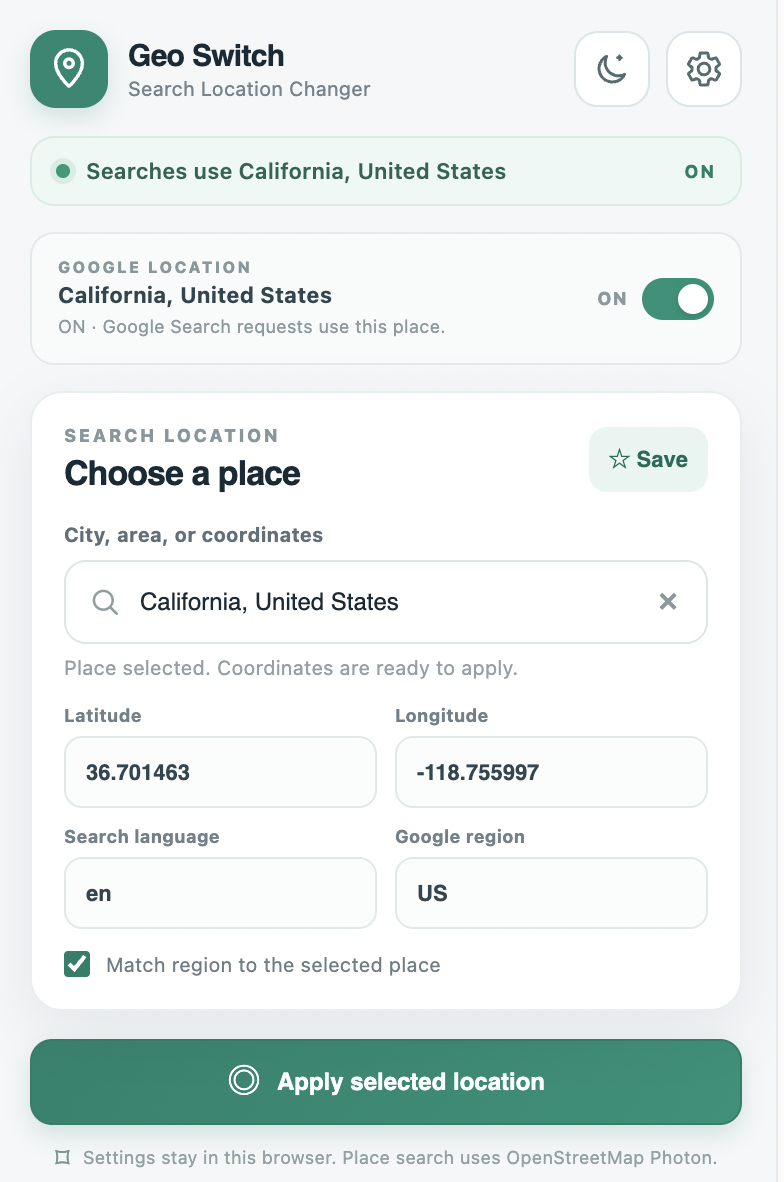
Geo Switch changes a request header for Google; it does not change your IP address, device GPS, or location on unrelated websites.
Search for a city or area, or paste latitude and longitude from a map. Check the coordinates before applying them.
Apply the location once. Your selection stays active for new Google searches, tabs and refreshes while the switch is on.
Look at Google results for your selected place. Turn the switch off to stop adding the location hint.
Designed for local SEO checks, research and testing without changing the rest of your browsing.
Search city and area names with suggestions from Photon, based on OpenStreetMap data.
Enter latitude and longitude, or paste a coordinate pair into either field.
Your chosen location remains active through new searches and refreshed Google tabs until you switch it off.
Keep frequently checked places in the extension for quick access in this browser profile.
Set a search language and region to accompany your selected location hint.
Choose the popup appearance that fits your workspace.
Actual screenshots from the Chrome version 1.0.6. Select any image to open it at full size.
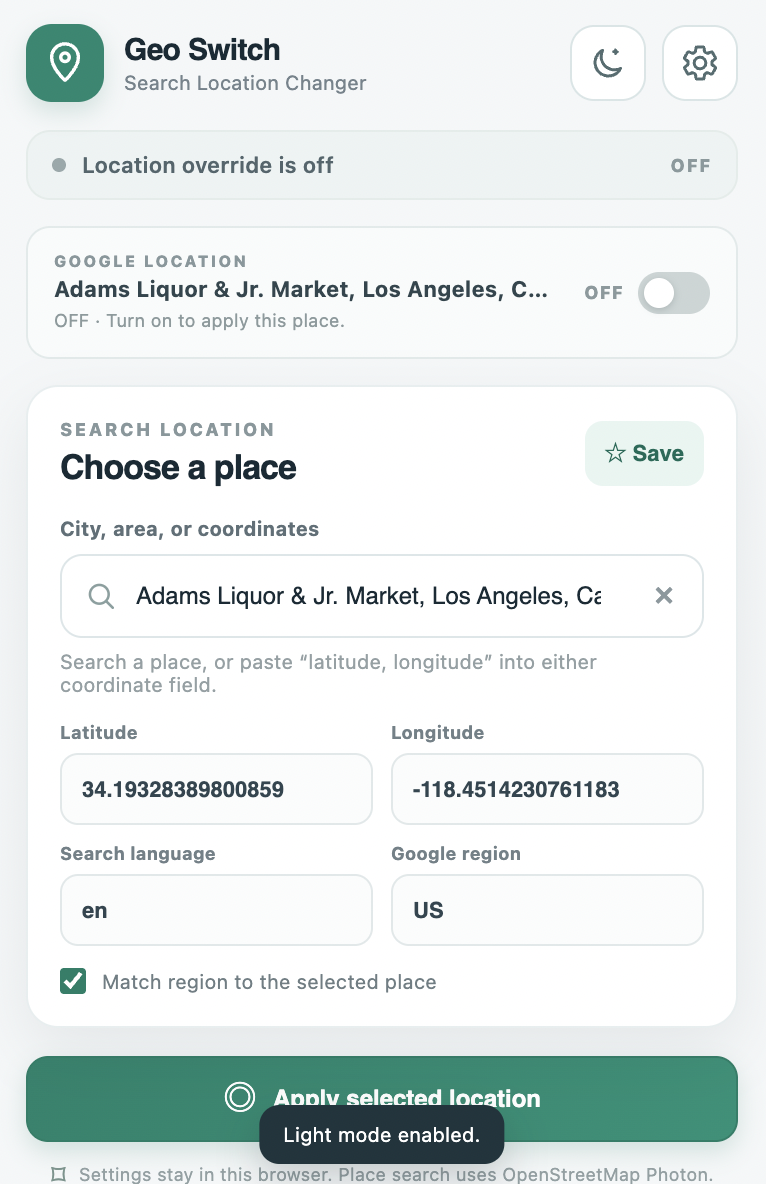
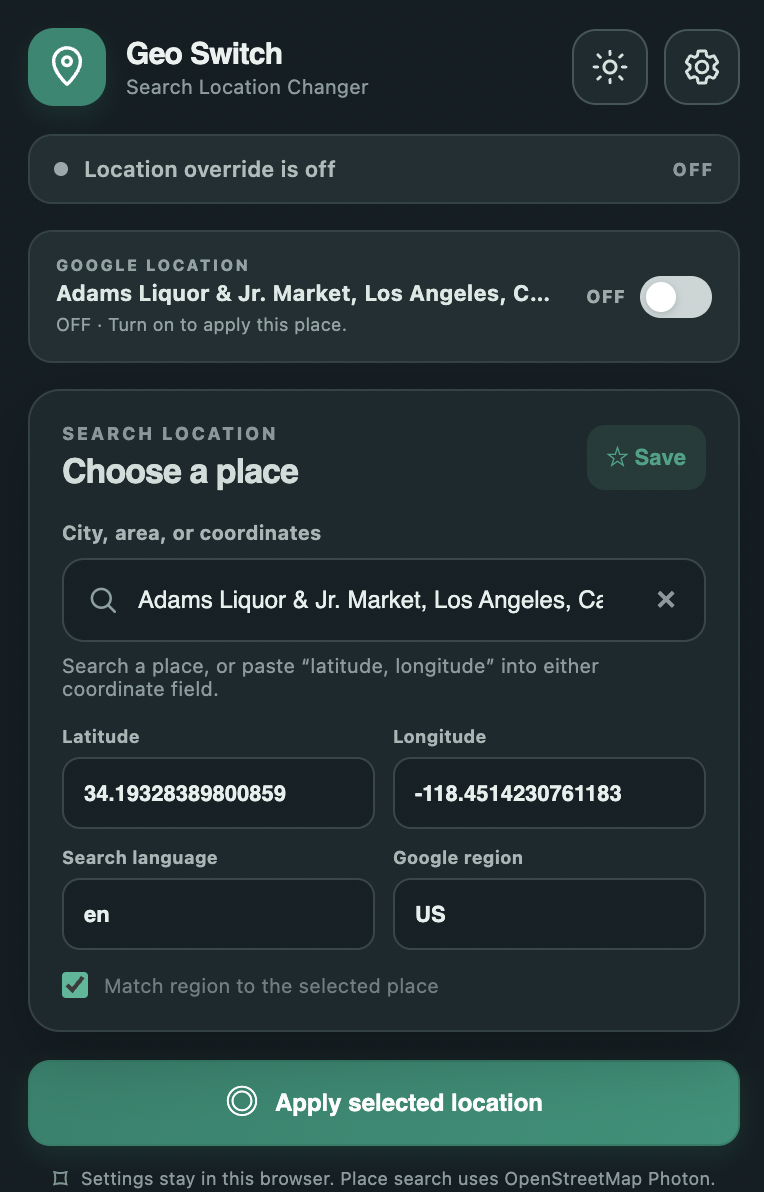
Review your active location, saved places, settings and privacy information from one page.
View full options screenshot ↗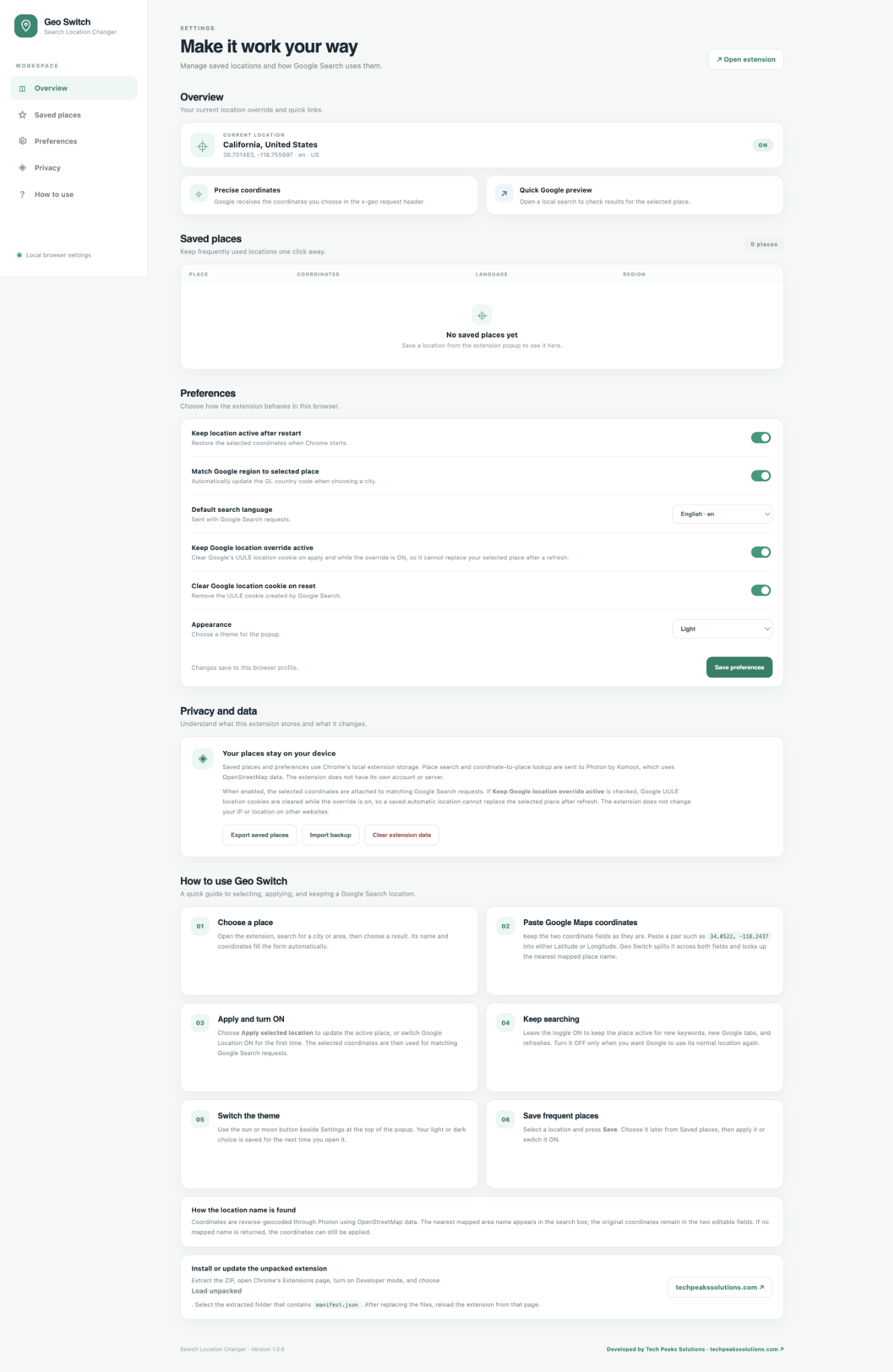
No. It adds a location hint and language header to requests on google.com. Google may still use your IP address, account settings and other signals, so results are not guaranteed to match those of someone physically there.
Yes, while the extension is on it keeps applying your selected location to matching Google requests across tabs and refreshes. Turn it off in the popup when finished.
Place searches and coordinate-to-place lookups go to Photon by Komoot. Saved places and preferences stay in Chrome local extension storage on this browser profile. See the privacy policy for details.
No. It targets google.com. It does not spoof your IP, browser GPS or the location reported to other websites.
No. Geo Switch is an independent product by TechPeaks Solutions.
We are completing browser checks and store submissions. Official Chrome and Firefox install links will appear here after approval.
Ask about Geo Switch